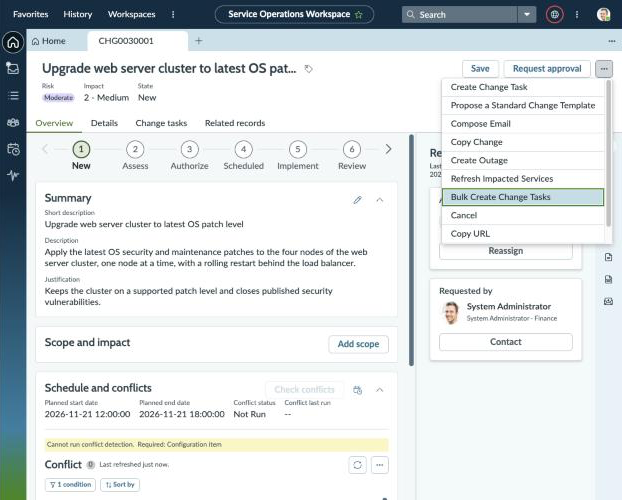
ITSM: Create Bulk Change Tasks
Bulk Change Tasks lets you create up to 50 change tasks for a Change Request in one go, from a single pop-up in Service Operations Workspace. It's for change coordinators and implementers who plan the same kinds of tasks (pre-checks, backups, implementation steps, testing, reviews) on every change and are tired of creating them one at a time. Key features A Bulk Create Change Tasks item in the ⋯ menu of the Change Request form in Service Operations Workspace. Up to 50 change tasks per submission, each linked to the change. A Defaults section that fills any task field you leave blank, so you set the type, group, assignee or dates once. The Assigned to picker only lists members of the chosen assignment group. Checks as you type, and the server checks everything again before it saves anything. All or nothing: if any task has a problem, no tasks are created and the pop-up shows you what to fix. Uses the platform's own change task rules and ACLs. It adds no roles and grants no extra access. Requirements ServiceNow Zurich or later. Service Operations Workspace with Change Management for SOW active. Users need the rights to create change tasks on the change (the normal change_task create ACLs). See the included Install and How to Use Guides.
