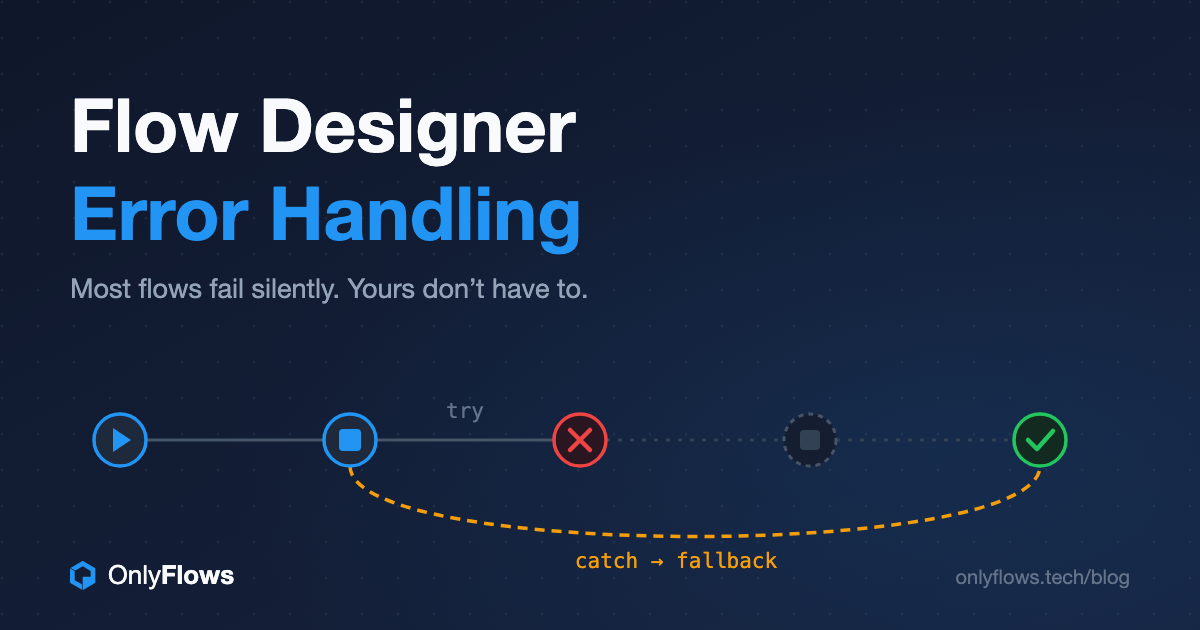
The most expensive Flow Designer error is the one nobody sees. A flow that throws a visible error gets fixed the same day. A flow that dies silently on step six of nine leaves a half-processed record behind — a fulfillment task that never got created, an approval that never went out — and you find out three weeks later when someone asks why their laptop never shipped.
That is the real argument for error handling in Flow Designer. Not cleaner logs. Not passing a code review. Making sure that when something fails — and something will fail — a human finds out before a customer does.
Flow Designer gives you four tools for this. Most teams use one of them, inconsistently. Here's what each one is for, when to reach for it, and the patterns I use on engagements where flows touch things that matter.
Know your four tools before you need them
1. Try/Catch flow logic. You wrap a group of actions in a Try block. If any of them error, the flow runs your catch path — log it, notify someone, fall back to an alternative — and then keeps going instead of terminating. This is the tool for steps that can fail for reasons outside your control: an integration call, a record update under contention, anything that leaves your instance.
2. The flow error handler. A separate section of the flow, configured in flow properties, that runs whenever the flow errors anywhere. Think of it as the global safety net: Try/Catch protects a block, the error handler protects the whole flow. If you configure nothing else, configure this — it is the difference between a failure that pages someone and a failure that evaporates.
3. Error Evaluation in Action Designer. Inside custom actions, you define what counts as an error and what message comes out. This is the unglamorous one, and it is the one that makes the other two useful. A catch path that receives "Operation failed" gives the on-call admin nothing. A catch path that receives "Vendor API rejected credentials — check the OAuth profile on sys_alias x_vendor.api" turns a ticket into a two-minute fix.
4. Script steps with try/catch. For the cases the declarative tools can't express: custom retry logic, parsing an unpredictable API response, validation that depends on three tables at once. Reach for this last, not first. Every script step is logic your flow diagram no longer shows.
The order matters: prevent, evaluate, catch, backstop
Teams get error handling wrong in a predictable way: they discover Try/Catch and wrap everything in it. That is not error handling. That is hiding.
The order that works:
Prevent what you can predict. If a lookup can return nothing, check for nothing with an If before you use the result. If an input can be empty, validate it at the top of the flow. An error you prevented never needs catching, never fires a notification, and never wakes anyone up. Same principle as code: try/catch is not a substitute for checking your inputs.
Evaluate what you expect to fail. Missing data, a failed lookup, a record in the wrong state — these are known failure modes. Handle them with Error Evaluation inside the action so they come out as clear, specific errors, not as generic crashes.
Catch what you can't control. External API calls. SMS gateways. Anything with a network in the middle. These fail no matter how good your flow is, so wrap them in Try/Catch with a real fallback — and catch specific error types where you can, not just "anything went wrong."
Backstop everything with the flow error handler. However good your Try blocks are, something will eventually error outside them. The handler is where you guarantee a failure becomes visible: create the incident, mark the record, notify the flow owner.
Patterns that survive production
Four patterns cover most of what I see go wrong on real instances.
The fallback chain. Try the preferred channel, catch the failure, use the backup. The classic: try an SMS notification through an IntegrationHub spoke; if delivery errors, the catch path sends email instead. The requester still gets notified, and the flow logs that the primary channel failed — which is how you find out your SMS vendor has been quietly rejecting requests for a week.
The half-processed record marker. If a flow that touches multiple records dies partway, the worst outcome is a record that looks fine but isn't. In the error handler, stamp the triggering record — a work note, a flag field, a state change — so nobody trusts a record the flow abandoned. Silent partial success is worse than loud failure.
The error taxonomy. Decide as a team what your catch paths emit: a short prefix for the failing system, the failing step, and the action a human should take. Ten flows that each log errors their own way are ten flows nobody can support. This costs an hour in a design session and pays for itself the first time someone who didn't build the flow has to fix it.
Retry with a limit. Transient integration failures deserve one retry, maybe two, with a wait between attempts. Infinite retries deserve a special place in platform hell — they turn a vendor outage into a self-inflicted denial of service on your own instance. If you're building retries in a script step, cap the attempts and make the cap visible.
The anti-patterns that cause the 4 AM pages
If you've read why flows break at 4 AM and pass at 2 PM, you already know most overnight failures are context problems — ACLs, execution context, data timing. Error handling has its own recurring villains:
- Catch-and-continue with an empty catch path. The flow "handles" the error by ignoring it. This is the silent failure factory. Every catch path must do something a human can see.
- Wrapping the whole flow in one giant Try. Now every failure looks identical, and your catch path can't tell a bad lookup from a dead API. Try blocks should be scoped to the risky steps, not the flow.
- Error messages written for the author. "Step 7 failed" means something to you this week. It means nothing to whoever inherits the flow. Write the message for the person who will read it at 4 AM without context.
- Testing only the happy path. If you've never forced the integration to fail in a sub-prod instance, your catch path is a theory. Break it on purpose before production breaks it for you.
What I would standardize tomorrow
If I ran your platform team, every flow that touches an integration or creates records would ship with three things before it hits production:
- A flow error handler that creates a visible artifact — an incident, a task, a flagged record. No exceptions, including the "temporary" flows. Especially the temporary flows.
- Try/Catch around every external call, with a fallback that keeps the process moving and a log entry that names the failing system.
- A forced-failure test in sub-prod: disable the credential, point the spoke at a dead endpoint, and watch what the flow actually does. Ten minutes of deliberate breakage beats a quarter of silent data damage.
None of this is sophisticated. That's the point. Error handling in Flow Designer is not an advanced topic — it is a discipline topic, and the platforms that feel reliable are the ones where it's boring, consistent, and mandatory.
Final word
Pick one production flow — the one you'd least like to explain to your boss if it failed quietly for a month. Open it. Check three things: does it have an error handler, are its integration calls wrapped, and would its error messages mean anything to someone who didn't build it? If any answer is no, you know what to do this week.
And if you'd rather start from patterns that already work, the community has done some of the lifting: browse reusable flows and subflows on OnlyFlows — download one, pull it apart, and steal the error handling.